October 1, 2026
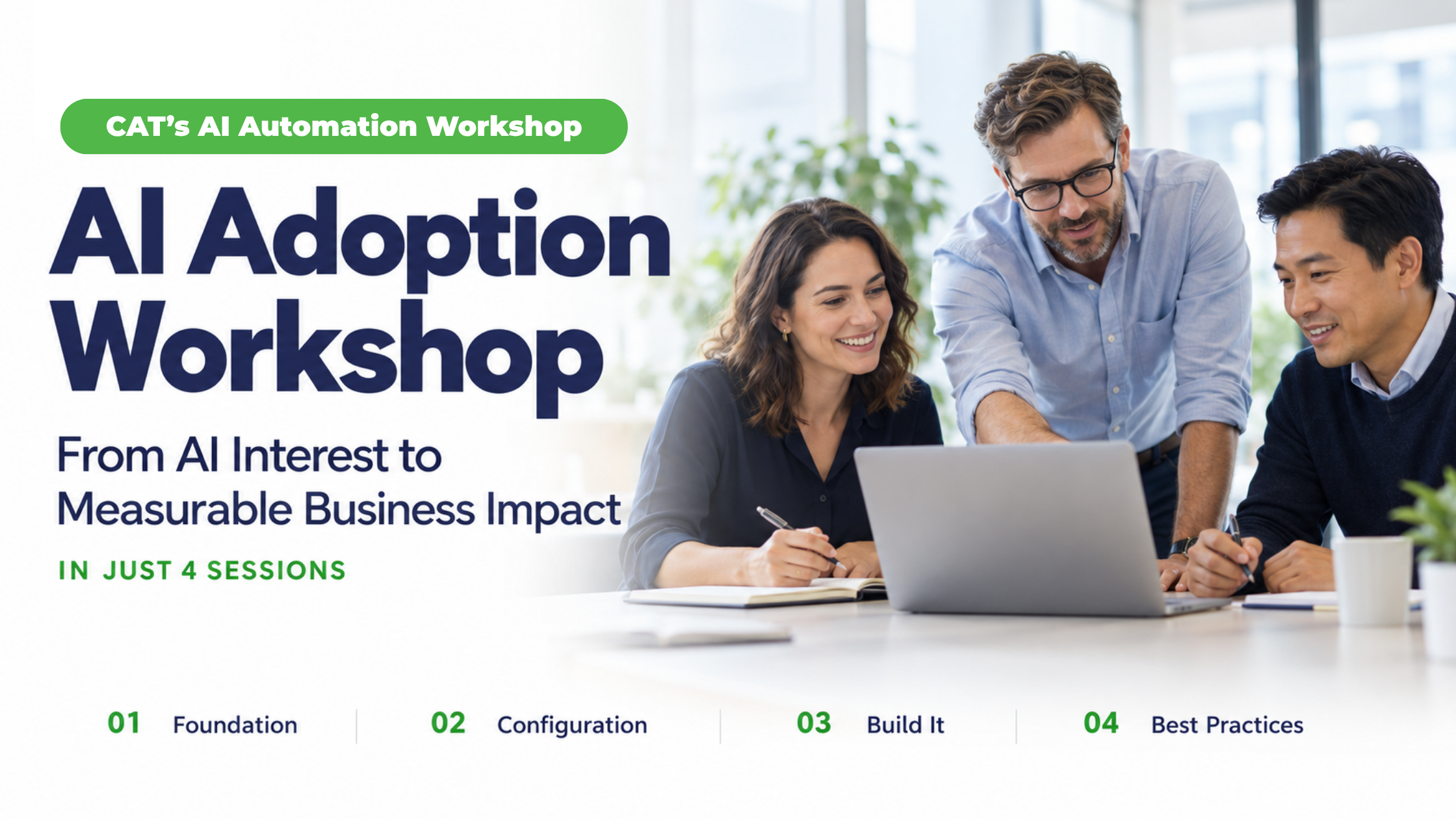
AI Adoption Workshop: From AI Interest to Measurable Business Impact in Just 4 Sessions
tl;dr of ai adoption workshop
An AI adoption workshop helps your organization move from "we should be using AI" to one live, secure and measurable AI workflow that employees actually use. CAT's AI Automation Workshop is built for that. It runs in four sessions: find the right task, prepare your tools and rules, build the workflow, then lock it in so it can be repeated. It is designed for companies on JD Edwards, SAP or Acumatica and uses the technology you already have (Microsoft 365 and your ERP), so there are no new AI tools to buy.
AI Adoption Workshop: From AI Interest to Measurable Business Impact in Just 4 Sessions
Many organizations already have access to AI, but turning that access into measurable business value is harder than it looks. An AI adoption workshop closes that gap by replacing scattered experiments with one workflow that is chosen carefully, secured properly, and measured from the start.
This blog explains what an AI adoption workshop is, what it delivers, who needs one, and when. It then walks through the four sessions of CAT's AI Automation Workshop, C&A Technology's own AI adoption workshop for ERP teams, so you know exactly what you would be signing up for.
What is an AI Adoption Workshop?
"An AI adoption workshop is a guided program that takes a team from AI ambition to one working, governed and measured AI workflow, then gives them a method to repeat it."
It is different from a training day or a strategy deck. Training teaches people about AI. A strategy deck describes what you might do. An adoption workshop produces something your people use on Monday morning: a specific task, done differently, with rules around it and numbers to prove it worked.
CAT's AI Automation Workshop is an AI adoption workshop built around that idea. The AI at the center of the workflow handles the repetitive middle of a process (gathering, checking, summarizing, routing) while a person owns the exceptions and the final decision.

AI Adoption Workshop Benefits
Many organizations already have the tools. What they lack is a clear starting point, shared rules, and proof that it works. Here is what an AI adoption workshop gives you, and why each benefit matters.
- A clear first project instead of a long wish list: Teams that start with a tool tend to stall, because the value is never defined. A workshop starts with one specific, repetitive task, so the value is clear before anything is built.
- Faster progress, because you use what you already own: Many companies have AI features in Microsoft 365 and their ERP that go largely unused. Using them means no new software spend and no long procurement cycle, so your first result arrives sooner.
- Security and control from day one: Employees are moving faster than policy, and many already bring their own AI tools to work. Approved tools, defined data access and written guidelines reduce that unmanaged use and protect sensitive ERP data.
- Results leadership can verify: Many companies are investing in AI, but far fewer can show it is working. A baseline recorded up front lets you show a real before-and-after comparison. CAT reports that most workshop customers see over 1x ROI in the first year.
- Time back for skilled people: Less data chasing, spreadsheet checking and system hopping means more time for judgment, exceptions and decisions.
- Consistent, trustworthy workflows: A defined workflow runs the same way every time, and employees review the output before it is used. That cuts rework and builds confidence.
- A method you can repeat: Once the first workflow is documented, the same steps apply to the next similar task. You build a capability, not a one-off.

The Four Sessions of CAT's AI Automation Workshop
Each session answers one question, and each builds on the last, so by the end you have a working workflow, not a slide deck.
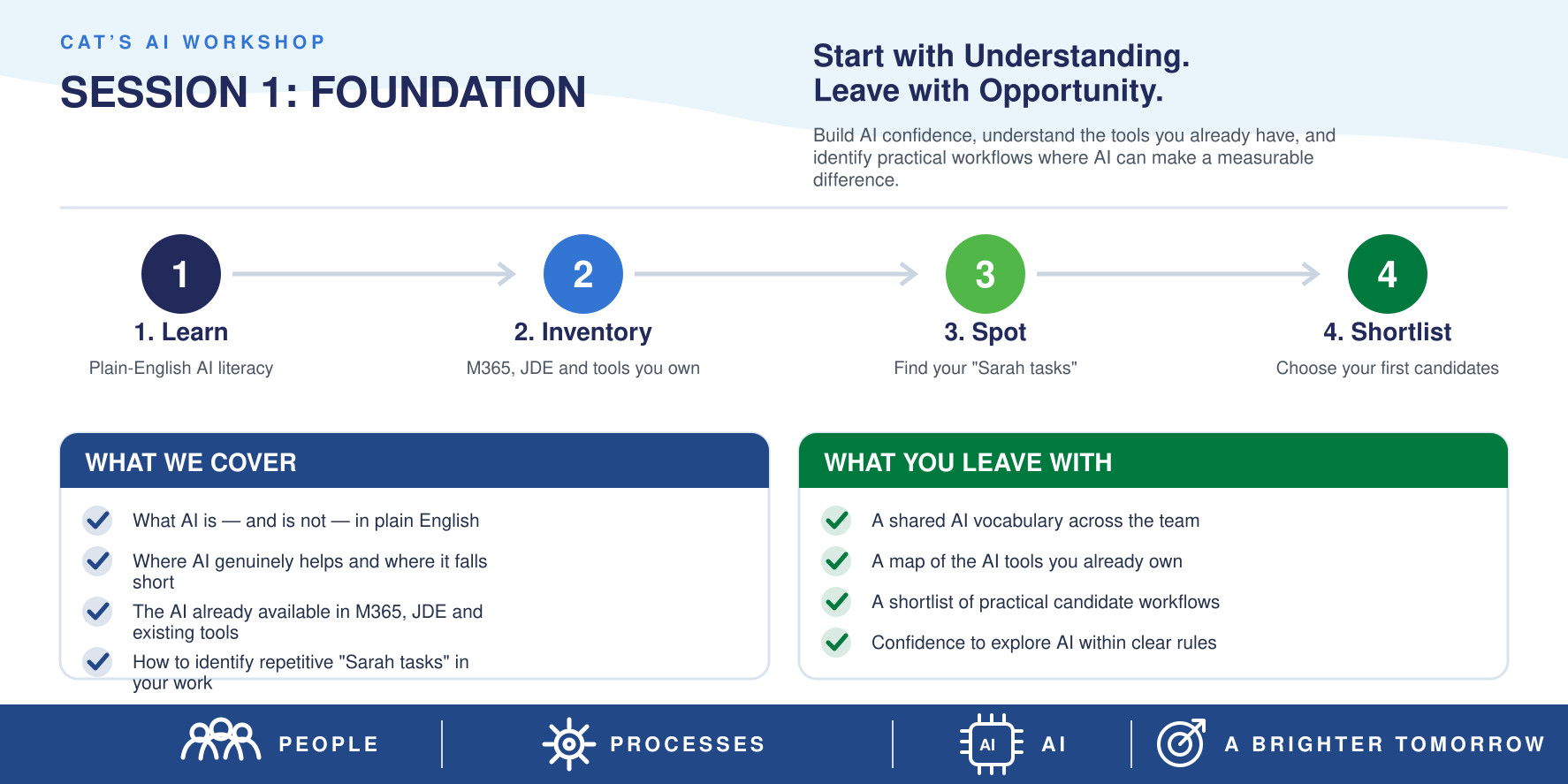
- Session 1: Find the Task Worth Automating
The question: Where is our team's time actually going?
Teams usually have a long list of AI ideas and no way to rank them. This session narrows the list to work that is repetitive, time-hungry, and spread across several systems- the kind of task where an employee is copying, checking, and re-checking.
It starts with the business problem, not the tool. You define the result you want (time saved, fewer errors, faster decisions) and record a baseline: how long the task takes today and how often it happens. That number is what you compare against later. It is also worth looking at the process itself before adding AI, because removing needless steps and duplicated work first gives the AI a stronger process to build on.
Why it matters: A small, painful task keeps the project winnable and the results easy to see.
- Session 2: Get Your Tools and Rules Ready
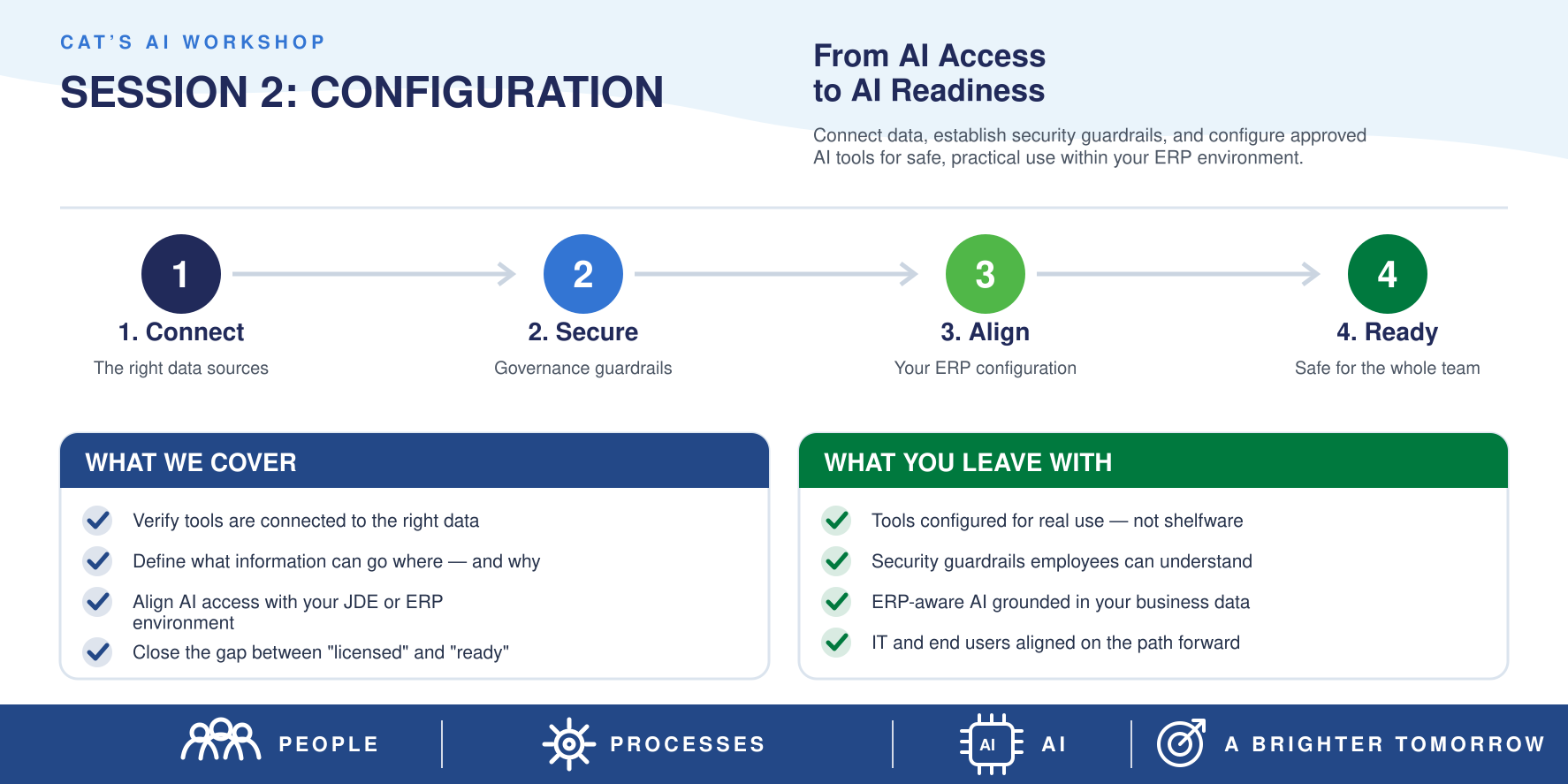
The question: What can we use, and what is it allowed to touch?
Before building, you take stock of the AI you already have access to, such as Microsoft 365, your ERP's own capabilities, and any approved assistant. You decide how data may be handled, set security and privacy limits, and line up AI access with your ERP environment so the AI works from accurate, approved, trusted data.
This is the step most do-it-yourself projects skip, and it is where trust is won with IT and compliance.
Why it matters: Guardrails set first mean nobody has to unwind a risky setup later.
- Session 3: Build the Workflow Your People Will Actually Use
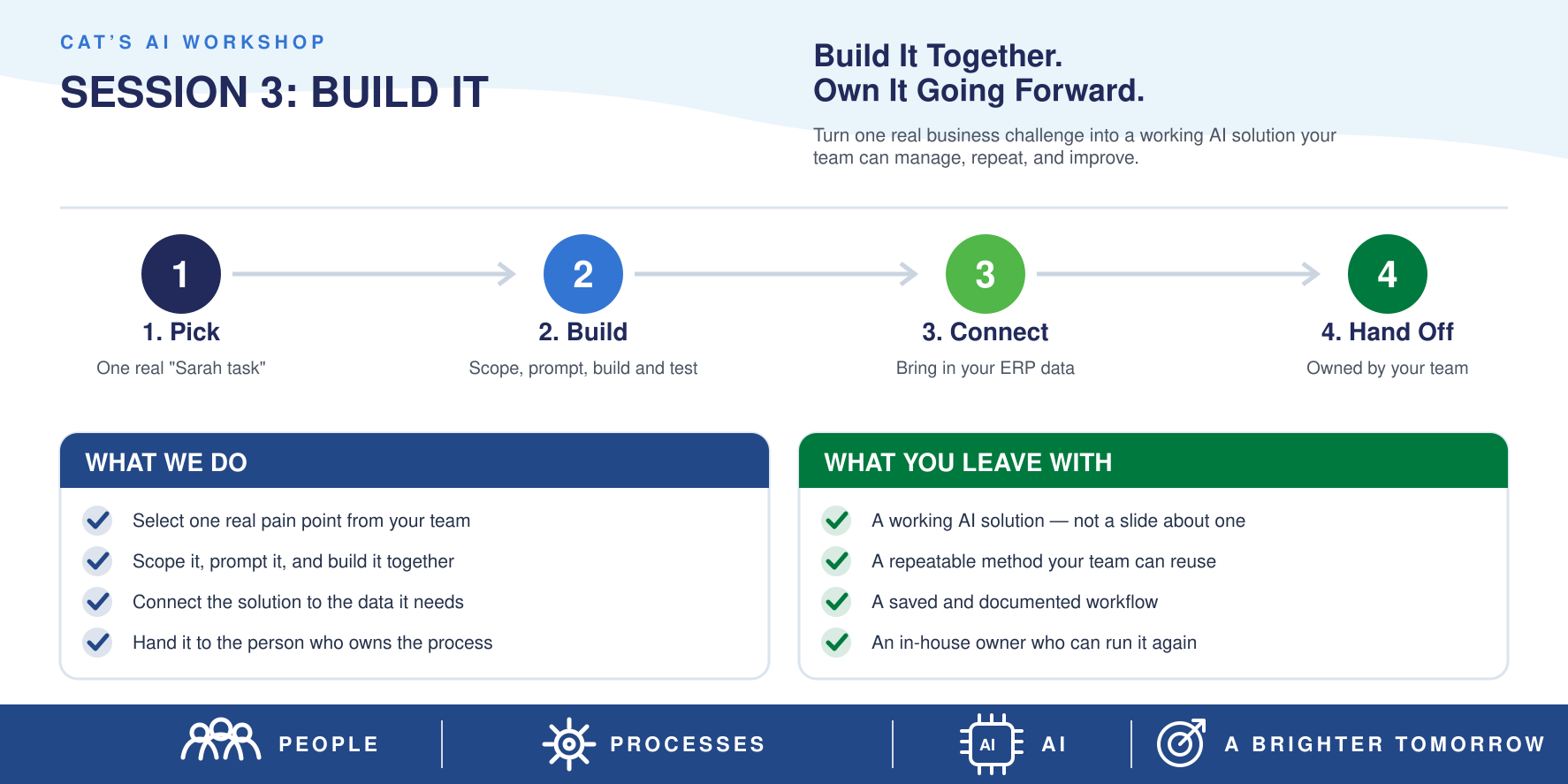
The question: What does this look like on a normal Tuesday?
Now the work becomes real. Your existing tools are configured with the security and data settings from Session 2, connected to trusted enterprise data, and shaped into the workflow employees follow day to day. AI takes the repetitive steps. The employee reviews the output, handles exceptions, and makes the call.
Good builds are also tested before anyone relies on them: common cases, odd cases, and incomplete information, with outputs compared against results you already trust. Self-projects are skipped, and that is where you win trust with IT and compliance.
Why it matters: A workflow that fits how people already work gets used. One that adds friction gets ignored, which is the heart of adoption.
- Session 4: Lock It In and Repeat It
The question: How do we make this last, and do it again?
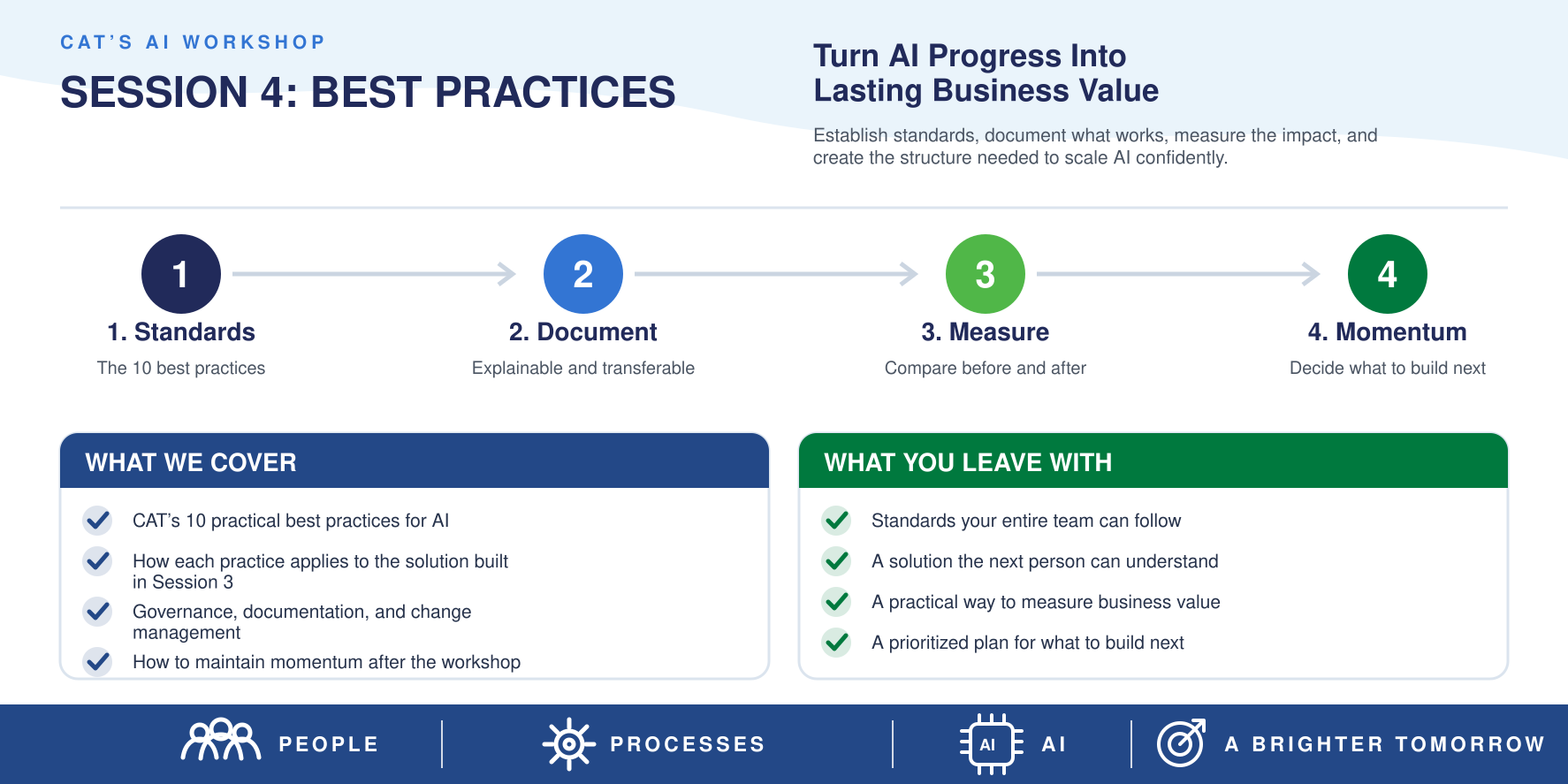
The final session turns a one-off success into a standard. The workflow is written up (its purpose, tools, data sources,and review steps) so another trained employee can run it. Usage and governance guidelines are set so everyone knows the rules, and you leave with a repeatable approach for the next similar task.
Why it matters: Without documentation and ownership, a good workflow disappears when the person who built it moves on.
Why it matters: A workflow that fits how people already work gets used. One that adds friction gets ignored, which is the heart of adoption.
What stays the same across all four sessions
- Start small, prove the value, scale what works. One task first, wider rollout second.
- No new AI purchases. The focus is on technology you already own.
- People stay in charge. AI supports employees; it doesn't replace their judgment.
10 Best Practices for Real AI Results
CAT's workshop is guided by ten best practices, which you can get in full in the free download. In short, they cover:
- Start with the outcome, not the AI tool, and define a baseline and a target.
- Keep people in the loop to review outputs and handle exceptions.
- Fix the process before automating it.
- Use accurate, approved, trusted data, including your ERP data.
- Write the solution down so it doesn't depend on one person.
- Test before you trust, including odd and incomplete cases.
- Guard sensitive data with approved tools and clear access rules.
- Build it so someone else can run it.
- Measure the win against the baseline and gather employee feedback.
- Make it stick through training, ownership and regular review.
Download Now - Best Practices
AI Adoption on JD Edwards, SAP and Acumatica
Your ERP holds your most trusted data and drives many of your most repetitive tasks, which is why adoption has to be aligned with it from the start. Each platform brings its own details, but the four sessions work the same way:
- JD Edwards: Session 1 often surfaces finance, supply chain or reporting tasks that involve pulling data across screens and spreadsheets. Session 2 confirms how AI can access that data securely.
- SAP: The same logic applies. The workshop identifies the task first, then sets data-handling rules before anything is connected.
- Acumatica:Sessions 2 and 3 focus on the AI capabilities already available to you and on configuring them for the chosen workflow.
Meet Sarah: The four sessions in practice
- Who she is. Sarah is an employee who spends a large part of her week collecting data, reviewing spreadsheets, and checking several systems to finish a recurring task.
- The challenge: Her organization wants real results from AI, but she needs clarity on which tools are approved, what data she can use, and what a practical process looks like.
What changed, session by session.
- Session 1: The recurring task is chosen as the first target, and the team records how long it takes today so there is a baseline to measure against.
- Session 2: The team confirms which AI features they already have and sets data-handling and security rules.
- Session 3: An approved AI assistant, connected to trusted ERP data, takes over the gathering and first-pass review.
- Session 4: The workflow and its guidelines are documented so the next team can use them.
- The outcome: The AI handles the repetitive work. Sarah stays responsible for checking the information, handling exceptions, and applying her business judgment to the final decision.
- The lesson: AI works best when it takes the repetitive steps and the employee keeps the decisions. Measuring against the Session 1 baseline is what turns that into a business case.

Why C&A Technology
AI adoption lives or dies on details: your data, your security rules, your ERP. That is where CAT's focus pays off.
- ERP depth across JD Edwards, SAP, and Acumatica, so AI is aligned with the systems holding your core data.
- A clear four-session path from choosing a task to a documented, repeatable workflow.
- No new software spend, because the approach builds on tools you already have.
- Governance built in, not bolted on at the end.
- Measurable results, with a baseline set at the start and most customers reporting over 1x ROI in year one.
Ready to see how it fits your team? Call (844) 533-4228, or visit the CAT AI Automation Workshop page.

Key Takeaways
- An AI adoption workshop turns AI ambition into one working, governed and measured workflow.
- Most companies have access to AI; the gap is execution and trust.
- The best first project is one repetitive, cross-system task with a measured baseline.
- Set security and data rules before you build, and test before you rely on the result.
- Your existing Microsoft 365 and ERP tools likely cover more than you realize.
- CAT's AI Automation Workshop has four sessions: find the task, prepare tools and rules, build the workflow, lock it in and repeat.
- Document the first win so the second one is easier.
Conclusion
AI pays off when one real task, with a baseline, security rules and an owner, is automated and then repeated. Four sessions are enough to get there if each one has a clear job: choose, prepare, build, repeat. If your team is stuck between "we need AI" and "where do we start," start with one task.
Ready to put AI to work? Talk with C&A Technology about bringing the AI Automation Workshop to your organization. In four sessions, your team chooses its best first task, sets up secure tools, builds the workflow and makes it repeatable, with no new AI purchases.
Talk to CAT About the AI Automation Workshop
No obligation. A conversation about your ERP and AI goals.
Book a Meeting
Related Articles

Follow us online